What is Auracast?
Auracast is an advanced audio broadcasting technology built on the Bluetooth LE Audio standard. It acts as a wireless transmitter, allowing a single audio source to broadcast sound to multiple compatible devices simultaneously. This makes it easy for users to share music, podcasts, or announcements with others. Auracast delivers high-quality, synchronized audio while remaining energy-efficient, making it ideal for personal listening, public venues, and accessibility solutions such as hearing aids. By simplifying wireless audio sharing, Auracast is redefining how people experience sound in everyday life.
Auracast broadcast audio was developed by the Bluetooth Special Interest Group (SIG) together with the hearing aid industry, and it was launched in 2022. Unlike classic Bluetooth, it doesn't require you to pair your device with the source: as the Hearing Loss Association of America (HLAA) explains, anyone with a compatible device in range can tune in. A single source can also broadcast several streams at once, for example the main audio of a film plus a translation or an audio description, and each listener picks the one they want.
How does Auracast work?
Auracast uses the Bluetooth LE Audio standard to enable multiple devices to receive the same audio stream simultaneously. It employs a specialized audio coding system called LC3, which compresses sound efficiently while preserving clarity. The technology divides the audio into packets that can be transmitted to several receivers at once, allowing them to stay perfectly synchronized.
Additionally, Auracast leverages low-energy protocols to reduce power consumption, ensuring devices can maintain long listening sessions without frequent recharging.
An Auracast system has three parts:
Part | What it does | Examples |
|---|---|---|
| Transmitter |
Broadcasts the audio |
TVs, computers, smartphones, tablets, microphones, public address (PA) systems, dedicated Auracast transmitters |
| Assistant |
Helps you find and join a broadcast |
A smartphone app, a smartwatch, your phone's Bluetooth settings |
| Receiver |
Plays the audio |
Hearing aids, cochlear implant processors, headphones, earbuds, portable speakers |
- According to Audibel, an Auracast broadcast can reach more than 300 feet (about 100 meters), around ten times the range of traditional Bluetooth pairing, although walls, people and the receiver's sensitivity reduce the practical coverage. Broadcasts can be public, so anyone in range can join, or encrypted, in which case you need a password or code from the venue.
- Not all broadcasts are the same. HLAA notes that Auracast offers a standard-quality stream, the one hearing aids and cochlear implants use, and a higher-quality stream for music, which uses more power and adds delay. A venue that wants to serve people with hearing loss must broadcast a standard-quality stream.
What is Bluetooth LE Audio?
Bluetooth LE Audio is the latest evolution of Bluetooth technology designed to deliver high-quality audio while using less power. Unlike previous Bluetooth versions, it relies on the Low Energy (LE) protocol, allowing devices to transmit sound more efficiently and maintain longer battery life. LE Audio also introduces a new audio codec called LC3, which improves sound clarity even at lower bitrates.
Additionally, it supports multi-stream audio, enabling multiple audio channels to be sent to different devices simultaneously. This technology forms the foundation for innovations like Auracast, making wireless audio more flexible, accessible, and energy-efficient.
For hearing aid users, LE Audio brings more than broadcasting. Starkey lists easier pairing, faster connection, a more robust stream and better audio quality, and LE Audio is designed to work with both iPhones and compatible Android phones. HLAA notes that Auracast delivers clearer sound with less delay than classic Bluetooth. In short, LE Audio is the technology, and Auracast is the broadcast feature built on it: a hearing aid can support LE Audio streaming from your phone without being able to receive Auracast broadcasts yet, so it's worth checking both.
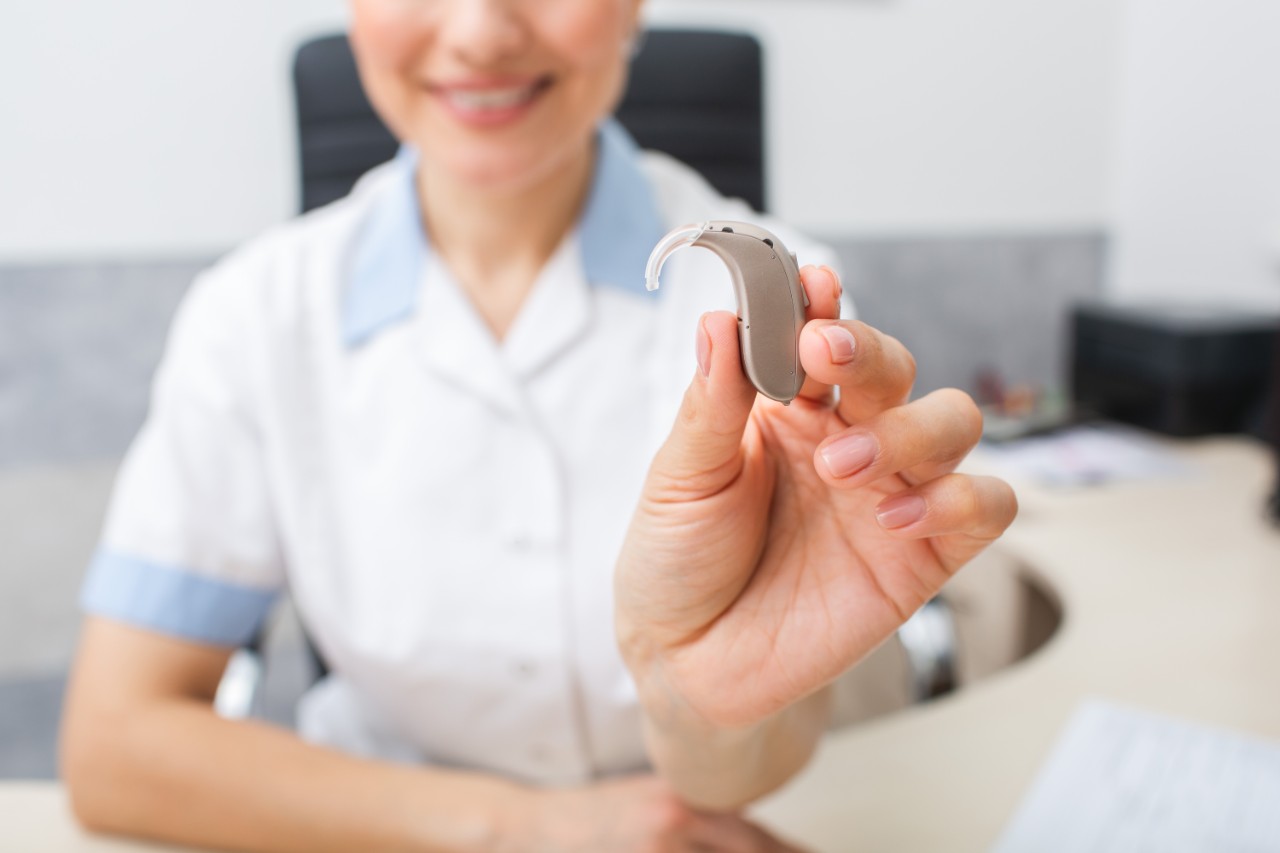
Auracast and hearing aids
Hearing aids equipped with Auracast can unlock entirely new listening experiences in both private and public settings. Users will be able to join shared audio streams in theaters, places of worship, or lecture halls simply by selecting the available channel, much like connecting to Wi-Fi. This eliminates the need for separate assistive listening infrastructure and ensures greater inclusivity in everyday environments. As manufacturers roll out compatible models, Auracast is expected to become a universal solution that bridges personal hearing support with mainstream audio systems. For people with hearing loss, the biggest advantage is that the sound goes straight into their hearing aids, already adjusted to their hearing, without the background noise and reverberation of the room. Starkey lists some of the situations where this makes a difference:
- Announcements: public address audio in airports, train stations and conference centers.
- Silent screens: TVs and monitors in waiting rooms, restaurants, gyms and airports.
- Tours: audio guides in museums, concert halls and historical sites.
- Languages: at venues offering translation, you can listen in your preferred language.
- Theaters and cinemas: clearer dialogue during movies and plays.
At home, Auracast also makes sharing easier: with an Auracast TV streamer, such as ReSound's TV-Streamer+, any number of Auracast devices can listen to the same TV at their own volume, so a hearing aid wearer and a partner with earbuds can watch together. In practice, Auracast won't replace all existing systems overnight. Venues still need to install an Auracast transmitter, and HLAA expects hearing loops, FM, infrared and Wi-Fi systems to remain in use for some time, either as the main system or alongside Auracast. Older hearing aids without Auracast can still join a broadcast with a separate receiver, a neckloop or headphones.
Auracast vs. hearing loops and telecoil
For decades, the main way for hearing aid users to hear in public venues has been the hearing loop: a wire installed around a room that sends sound as a magnetic field, picked up by the telecoil (T-coil) in the hearing aid. Loops work well and are still widely used, but they're expensive to install and offer no privacy, according to the Bluetooth SIG cited by Starkey. Auracast uses Bluetooth instead of a magnetic field, so it's cheaper to set up and lets venues offer several streams, such as different languages.
Service or issue | Hearing loop + telecoil | Auracast |
|---|---|---|
| How it works |
Magnetic field from a wire loop |
Bluetooth LE Audio broadcast |
| What your hearing aid needs |
A telecoil |
Auracast support (LE Audio) |
| Installation |
A wire around the room, often costly |
A transmitter connected to the sound system |
| Multiple streams or languages |
Usually one |
Several at once |
| Privacy |
Anyone with a telecoil in the loop can listen |
Public or password-protected broadcasts |
| Availability today |
Widely installed in many venues |
Still rolling out |
Because both systems will coexist for years, HLAA recommends choosing hearing aids that have both Auracast and a telecoil.
Is Auracast ADA compliant?

Hearing aid brands with Auracast
Most major hearing aid manufacturers now have models with Bluetooth LE Audio, and many already support Auracast, but availability varies by model and sometimes depends on a firmware or app update. Hearing aids are usually described as Auracast-enabled (they can receive broadcasts now) or Auracast-ready (the hardware supports it, but a future update is needed). Here's where the main brands stand, based on manufacturer pages and HearingTracker's reviews as of October 2026:
Brand | Models with Auracast | Status |
|---|---|---|
| ReSound |
Enabled; join broadcasts through the ReSound Smart 3D app (version 1.39 or later) or your phone's Bluetooth menu |
|
| Audéo EON |
Enabled |
|
| Enabled with firmware 1.3.0 or later |
||
| Starkey |
Edge AI and newer |
Auracast-ready through LE Audio; Starkey has since introduced an Auracast assistant |
| Audibel |
AI hearing aids released after 2022 |
Compatible, according to Audibel |
Other brands, including Signia and Widex, have been evaluating and piloting Auracast; ask your hearing care professional about the latest models and updates. Note that not every hearing aid with LE Audio can receive Auracast broadcasts yet, and that earbuds with a hearing aid feature, such as AirPods Pro 3, don't currently support Auracast. Before you buy, ask your provider whether the model is Auracast-enabled or only Auracast-ready, and whether it also has a telecoil.

Key features of Auracast
Auracast offers a range of innovative features that enhance the wireless audio experience:
- Multi-device connectivity: Allows one audio source to connect with multiple compatible devices simultaneously. There's no fixed limit to the number of listeners who can tune into the same broadcast.
- High-quality audio: Utilizes advanced codecs for clear, rich sound even at lower data rates.
- Low latency: Ensures audio stays synchronized across devices, ideal for video, gaming, or live events. For hearing aid users, low delay means lips and sound stay in sync.
- Energy efficiency: Designed to minimize power consumption, extending battery life for both transmitters and receivers.
- Accessibility support: Compatible with hearing aids, cochlear implant processors and other assistive listening devices for inclusive audio experiences.
- Seamless sharing: Makes it easy to share audio in public spaces, from classrooms to airports, without complex pairing.
- Multiple streams and languages: A venue can broadcast several streams at once, such as different languages or an audio description.
- Public or private broadcasts: Streams can be open to everyone in range or protected with a password.
- Long range: Audibel cites a range of over 300 feet (about 100 meters) in good conditions.
Benefits of Auracast for different users
- Everyday listeners: Easily share music, podcasts, or videos with friends and family for a seamless group listening experience.
- Public spaces: Airports, gyms, stadiums, and museums can deliver announcements, audio guides, or background audio directly to visitors' devices.
- Accessibility: Works with hearing aids and other assistive listening devices, providing clear, synchronized sound for individuals with hearing impairments. Sound arrives directly in the hearing aids, without room noise or echo, and hearing aid settings can be applied to the stream.
- Community experiences: Enables shared audio experiences in classrooms, events, or transport systems without complex setup.
- Energy efficiency: Long-lasting battery performance ensures uninterrupted listening across devices for various user scenarios.
- Venues: A transmitter connected to an existing sound system is usually simpler and cheaper to install than a hearing loop, and it can serve both hearing aid wearers and people with ordinary earbuds.
- Educators, presenters and guides: portable microphone transmitters, such as ReSound's Multi-Mic+, can broadcast a speaker's voice to every Auracast device in a group.
Auracast in real-life applications
Auracast is already transforming how audio is experienced in everyday settings.
- In public venues like airports, train stations, and stadiums, it allows announcements or live commentary to reach multiple listeners simultaneously. Museums, galleries, and classrooms can use Auracast to provide guided tours or lectures directly to visitors' devices, creating a personalized and immersive experience. Gyms, cafes, and waiting areas can offer silent audio streams to customers' headphones, reducing noise pollution while enhancing convenience.
- Additionally, Auracast improves accessibility by delivering clear, synchronized sound to hearing aids and other assistive devices, ensuring inclusive participation in public and private spaces.
- Venues that have started adopting Auracast include theaters, cinemas, airports, cultural institutions, transit hubs, houses of worship, conference centers, restaurants and gyms. Adoption is still in its early stages, but the Bluetooth SIG, as cited by ReSound, projects 2.5 million Auracast locations worldwide by 2030.
Auracast supported devices
Headphones, earbuds, and speakers
Smartphones, TVs, and public systems
Potential integration with AR/VR and IoT
Auracast transmitters
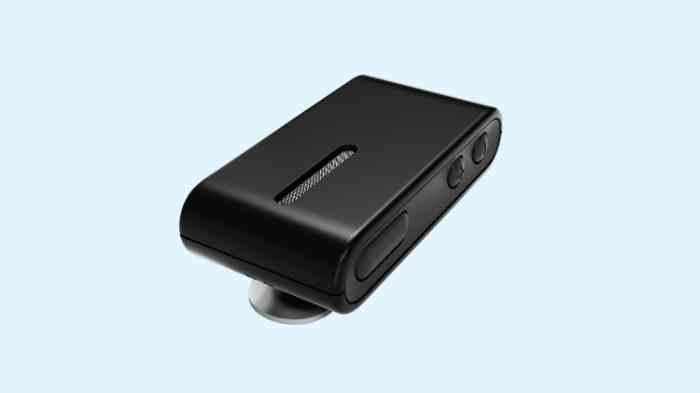
An Auracast transmitter turns any audio source, such as a TV, a computer, a microphone or a venue's sound system, into an Auracast broadcast that compatible hearing aids, earbuds and headphones can join. Some devices, like newer TVs and phones, have a transmitter built in; for everything else, you can add a dedicated Auracast transmitter. Auracast transmitters range from small, affordable devices to professional systems. Venucast, for example, sells:
Transmitter | Best for | Starting price |
|---|---|---|
| DG60 Aura |
A USB-A dongle for computers, training rooms and classrooms |
About $79.99 |
| Oasis Aura |
TVs and small rooms, with optical, AUX and Bluetooth inputs |
About $129.99 |
| AuraMic |
A portable microphone for one-to-one or small-group conversations |
About $199.99 (pre-order) |
| AirCast |
Mixers and installed audio, up to 500 ft (150 m) line of sight |
About $349.99 |
| NetCast |
Large fixed venues, dual-channel with Power over Ethernet |
About $1,599.99 (pre-order) |
Venucast also sells receivers that let listeners without Auracast hearing aids join a broadcast: through the hearing aid's telecoil, through a Bluetooth bridge, or with ordinary headphones. Real coverage depends on walls, people and the receiver, so venues should test the setup on site.
When choosing an Auracast transmitter, check:
- The inputs: optical or AUX for TVs, USB for computers, XLR or 6.35 mm for mixers and installed sound systems.
- The range: enough to cover the listening area, tested on site.
- Stream quality: for hearing aid and cochlear implant users, the transmitter must broadcast a standard-quality stream, as HLAA recommends.
- Public or private broadcasts: whether you can name the broadcast and protect it with a password.
- Listeners without Auracast devices: whether receivers are available for telecoil hearing aids or ordinary headphones.
Auracast transmitter for TV
An Auracast transmitter for TV connects to the television's optical or headphone output and broadcasts its sound to Auracast hearing aids, earbuds and headphones. Everyone can set their own volume, and the TV can stay at a comfortable level for others in the room, or be muted entirely. Options include compact transmitters for TVs and small rooms, such as Venucast's Oasis Aura ($129.99, with optical, AUX and Bluetooth inputs), and hearing aid brands' own accessories: ReSound's TV-Streamer+, for example, sends TV sound directly to ReSound hearing aids and lets any number of Auracast devices listen to the same broadcast. In public places, the same setup lets gyms, bars, waiting rooms and airports offer the sound of silent TV screens to anyone who wants to tune in.
Auracast transmitter for church
Places of worship are among the first venues adopting Auracast. An Auracast transmitter for church connects to the sound system or mixing desk, so the voice of the speaker, readings and music reach hearing aid users directly, without the reverberation of a large hall. Professional models, such as Venucast's AirCast ($349.99, with XLR and 6.35 mm inputs and up to 500 feet of line-of-sight range in favorable conditions), are designed for this kind of installed audio, while larger churches may need a multi-channel system like the NetCast. A church can also broadcast more than one stream, for example a translated service. To make it accessible to everyone, HLAA recommends broadcasting a standard-quality stream and posting signage with the international symbol for accessible communication. Since many members of the congregation may still use telecoil hearing aids, it helps to keep an existing hearing loop or to offer receivers that work with the telecoil and with ordinary headphones. The ADA doesn't certify specific technologies, so check with your installer that the system meets the assistive listening requirements that apply to your building.
Is Auracast compatible with PartyBoost?


How to connect to Auracast
Connecting to Auracast is designed to be as simple as joining a Wi-Fi network. When an Auracast stream is available, compatible devices such as headphones, earbuds, or hearing aids can detect it automatically. In many cases, users will be able to browse and select available streams directly from their device settings or through a dedicated app provided by the manufacturer.
Once chosen, the device locks onto the stream instantly, delivering synchronized audio without the need for manual pairing codes. This straightforward process ensures that anyone can access shared audio in public venues, at home, or on the go. In practice, there are three ways to join a broadcast, according to Audibel:
- Search: open your hearing aid app or your phone's Bluetooth settings, find the Auracast or audio sharing option and pick a stream from the list.
- Scan: scan a QR code displayed at the venue with your phone's camera.
- Tap: hold your phone against an Auracast tap-to-hear sign, where available.
Behind the scenes, the phone acts as an assistant: it scans for broadcasts, shows you the list and passes the details of the stream you choose (name, channel, language) to your hearing aids, as Starkey explains. If the broadcast is encrypted, you'll need the password from the venue. Hearing aid brands also have their own tools: ReSound users, for example, can join or share a broadcast with one tap in the ReSound Smart 3D app.
How to turn off Auracast
Turning off Auracast is simple and can be done directly from your device settings or the companion app. On most Auracast-enabled devices, navigate to the audio or Bluetooth settings, locate the active Auracast stream, and select the option to disconnect or disable it. Some devices may also allow you to temporarily pause the stream without fully turning off the feature.
Disabling Auracast when not in use helps conserve battery life and ensures that your device does not automatically connect to nearby streams. This straightforward process gives users full control over when and how they access shared audio.
With hearing aids, leaving a broadcast usually means going back to your normal hearing program: you can do it from the hearing aid app, from your phone, or by changing program on the hearing aids, depending on the model. The exact steps differ by brand, so check your hearing aid's user guide or ask your hearing care professional to show you.
How to use Auracast
Using Auracast is a straightforward process that allows users to join shared audio streams in just a few steps. First, ensure that your device—such as headphones, earbuds, or hearing aids—supports Bluetooth LE Audio and is Auracast-enabled. When you are in range of an active stream, your device will display the available options, similar to how Wi-Fi networks appear. You can then select the stream through your device settings or a companion app, and the audio will begin playing instantly. This makes it possible to enjoy private listening at home with a TV, follow public announcements in places like airports, or join group audio experiences in gyms, classrooms, or event venues.
A few tips to get the most out of it:
- Look for the signs: venues with Auracast or other assistive listening systems should display signage with the international symbol for accessible communication, sometimes with a QR code.
- Check your hearing aid first: make sure it's Auracast-enabled and has the latest firmware and app.
- Use your phone as the remote: keep Bluetooth on and the hearing aid app installed, since most people find and switch streams from the phone.
- Keep a backup: a telecoil is still useful in venues with a hearing loop, and an Auracast receiver can help if your hearing aids don't support broadcasts yet.
Where is Auracast available?
Auracast is currently being introduced in several countries, with early adoption seen in the United States, parts of Europe, and Asia. Availability depends on when manufacturers release Auracast-enabled products in each market. Public locations such as airports, stadiums, and museums are starting to integrate Auracast into their audio systems, allowing visitors to tune in with personal devices.
As of 2026, Auracast is available in select public venues, and the number is growing: the Bluetooth SIG projects 2.5 million locations worldwide by 2030, as cited by ReSound. HLAA notes that the timeline for widespread adoption is still uncertain, and that loops and other assistive listening systems will remain common for some time. To find out whether a venue offers Auracast, look for signage or ask the staff before your visit.
What's the difference between Auracast-enabled and Auracast-ready?
FAQs about Auracast
Is Auracast available now?
Do I need new devices to use Auracast?
Can Auracast replace Wi-Fi-based audio streaming?
Do Auracast hearing aids still need a telecoil?
Is Auracast secure?
Does Auracast work with iPhone and Android?